You can create a Pigeon Map account in two ways: with your email and a password or with your Google account.
Register with email
You can register in the traditional way with your email address. You will choose your own password and use it whenever you sign in.
Advertisement
- Open the Register page.
- Enter your email, type the same password twice and select your country. The password must contain at least 6 characters.
- Confirm that you have read the Privacy Policy and accept the Terms of Service.
- Click Register.
- Open the message from Pigeon Map and click the link to confirm your email address. If you cannot see the message, check your Spam folder. If it is not there either, email us at kontakt@digging.pl and we will help you solve the problem.
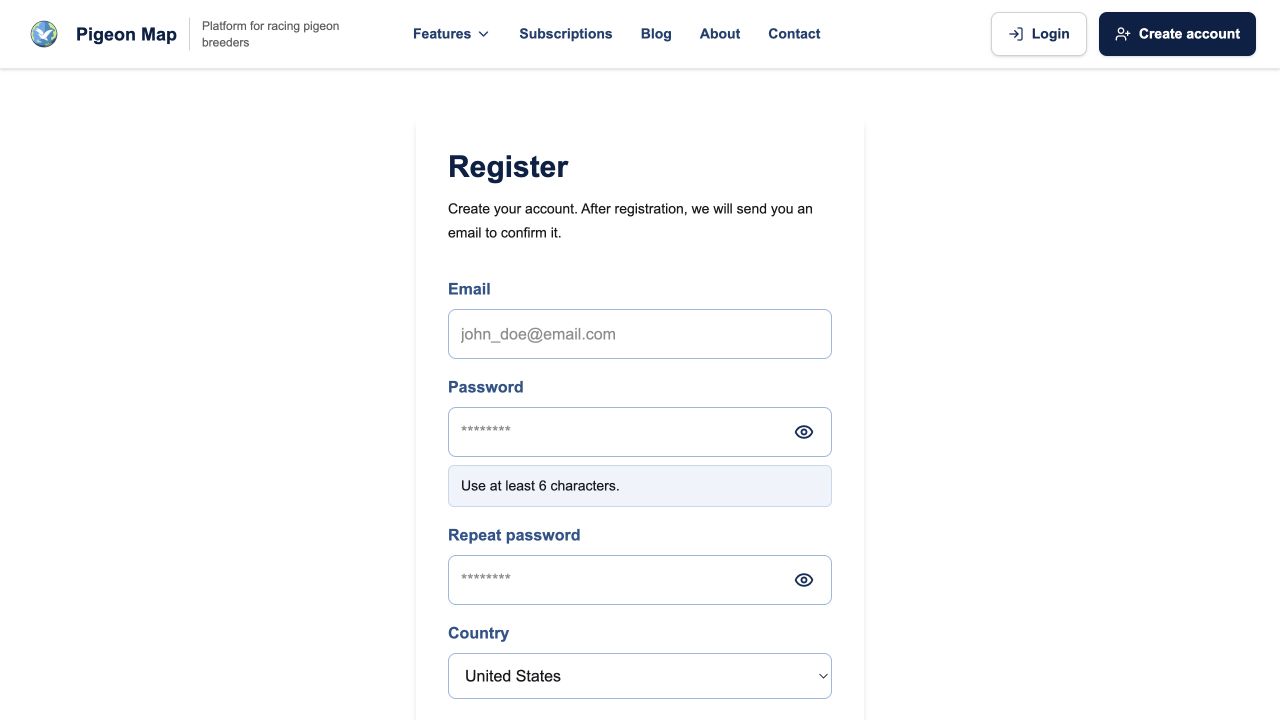
Which details are required and which are optional?
The form asks for the information needed to create your account. It also includes additional details that you can provide only if you want to.
Required: email, password, repeated password, country, confirmation of the Privacy Policy and acceptance of the Terms of Service.
Open Optional account details to find these additional fields:
- Account name – the name other users will see, for example in the breeder list, on your public profile and next to flights. You can use the name of your loft, club or company. If you leave this field empty, Pigeon Map will create a name automatically from your email address.
- First and last name – help identify the account owner. They are private at first. You can later decide whether other breeders may see them on your public profile. They can also be added to a pedigree you create.
- Phone number – makes it easier to contact you. It is private at first and is not shown to other people. You can later choose to display it on your public profile or add it to a pedigree.
- Marketing consent – select it only if you want to receive information about Pigeon Map by email, SMS or phone. This consent is optional and does not affect your access to the application.
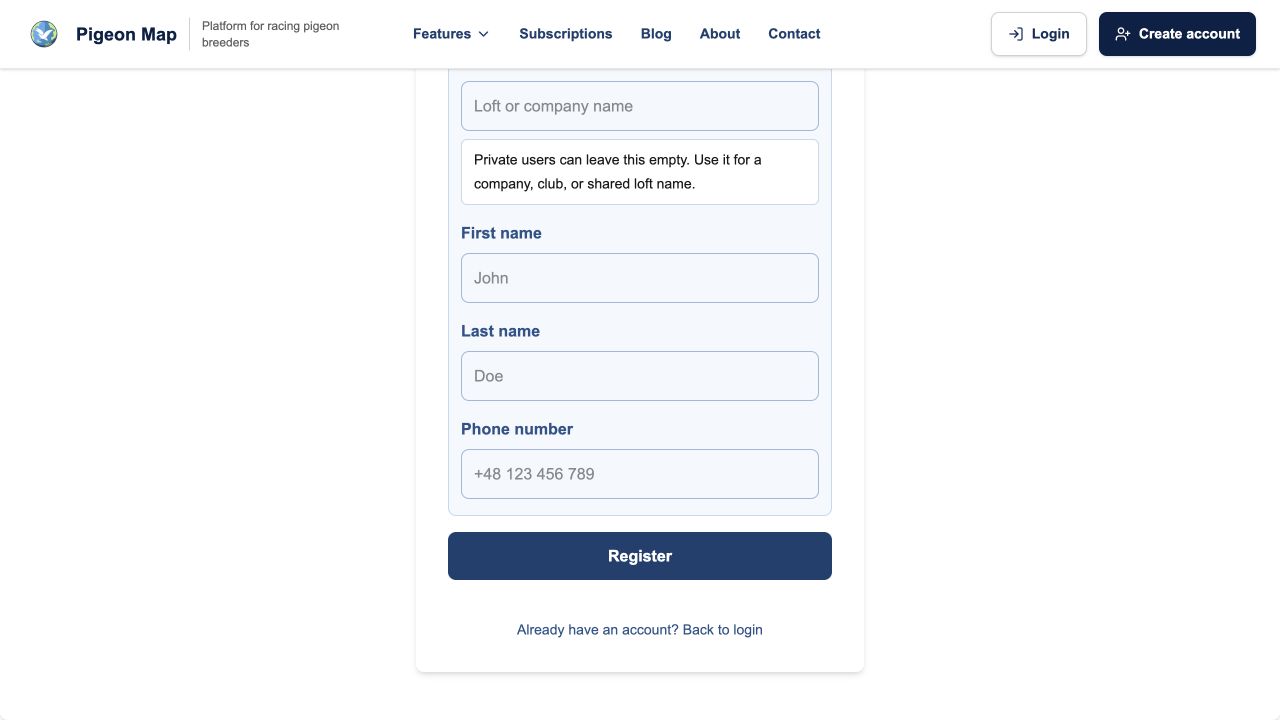
You do not have to provide these details during registration. You can always add or change them later by opening Profile → Personal details and breeder profile → Edit profile. This is also where you decide which information other breeders can see.
Register with Google
If you already have a Google account, you can use it to register with Pigeon Map. This is the quickest and easiest option because you do not have to create or remember another password.
- Open the Login page.
- Click Sign in with Google and select your Google account.
- The first time you sign in, confirm the Privacy Policy and accept the Terms of Service. Marketing consent remains optional.
With this option, you do not create a separate Pigeon Map password and you do not need to confirm your email address with an additional link.
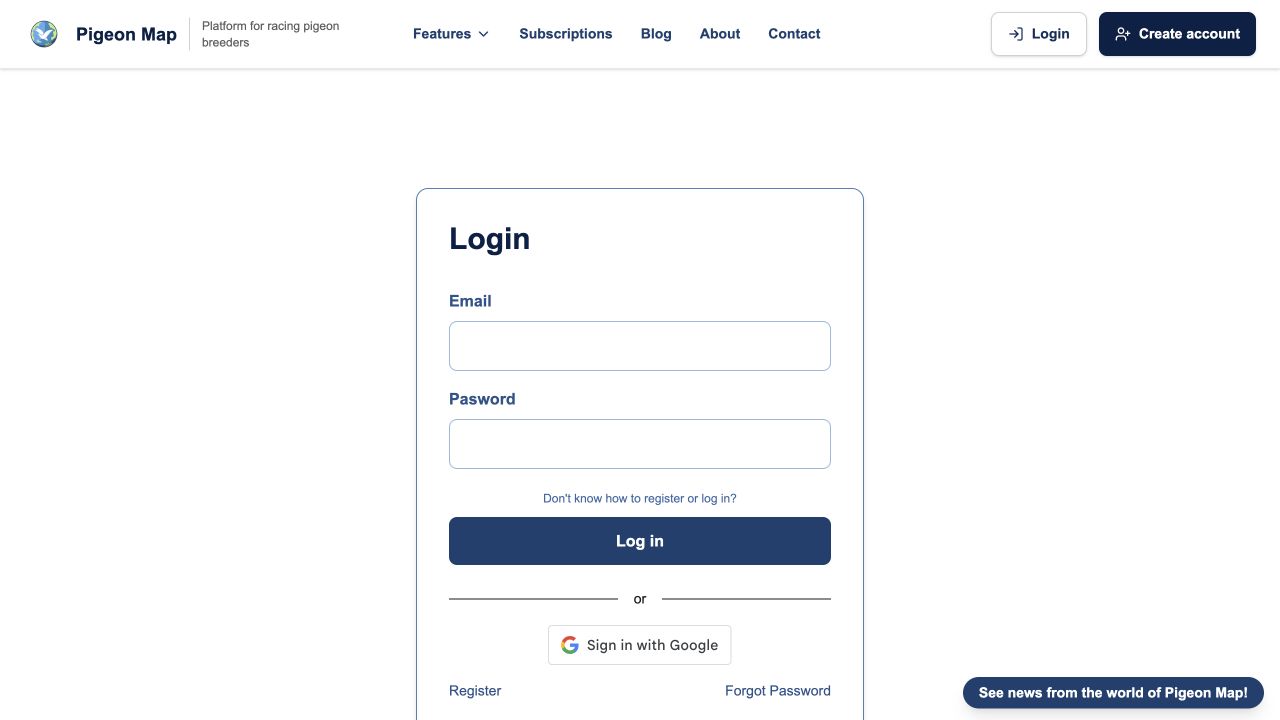
How do I sign in with Google?
Signing in works the same way as registering. Open the Login page and click the same Sign in with Google button. If you are already signed in to your Google account, one click will take you to Pigeon Map.
Important: use the sign-in method you selected
The method you choose when registering is also the method you will use to sign in later. If you created your account with Google, use the Sign in with Google button — email and password sign-in will not be available. If you registered in the traditional way, sign in with your email and password — the Google button will not work for that account. The two sign-in methods cannot currently be linked.