Map
The map shows the start point, loft, route and intermediate points. Free access covers the basic context, while higher plans turn it into a flight analysis workspace.
Map and flights
This part of Pigeon Map helps you check the route, weather and flight flow. Free access includes MapTiler and basic weather checks, while paid plans unlock the full Windy view.
The map shows the start point, loft, route and intermediate points. Free access covers the basic context, while higher plans turn it into a flight analysis workspace.
You can preview a flight, save it, return to history and analyse conditions. Weather supports planning, while Basic adds deeper analysis and public flight information.
Dashboard keeps MapTiler for users without full weather access. With full weather unlocked, Windy gives a stronger view of changing atmospheric conditions.
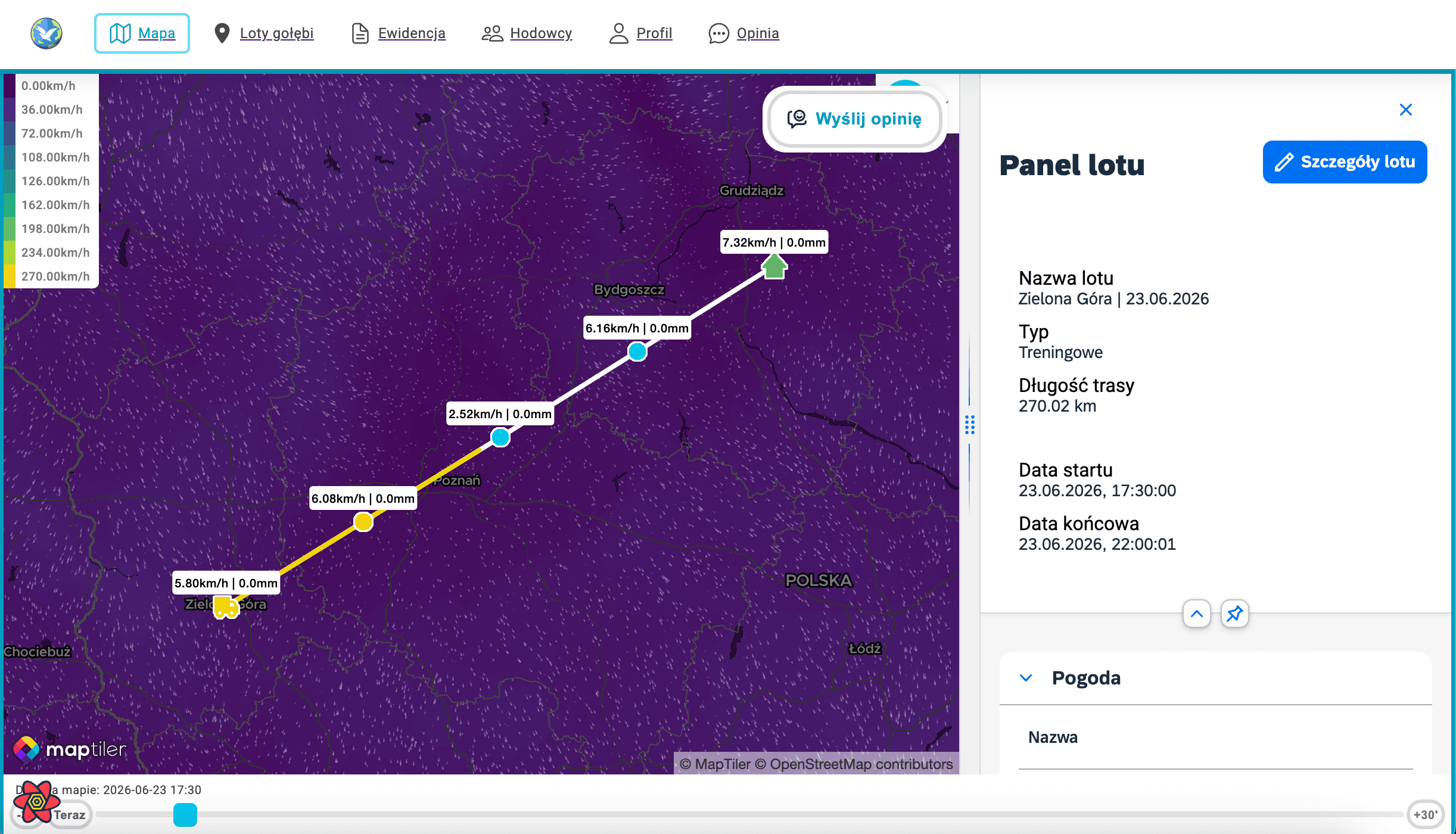
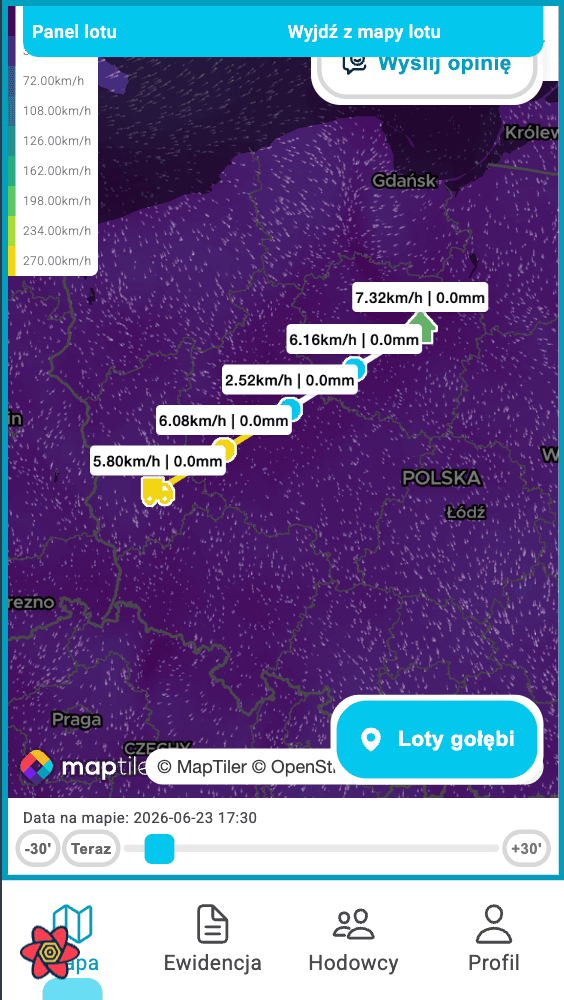
Best for quick route preview, basic weather checks and work in the Free plan.
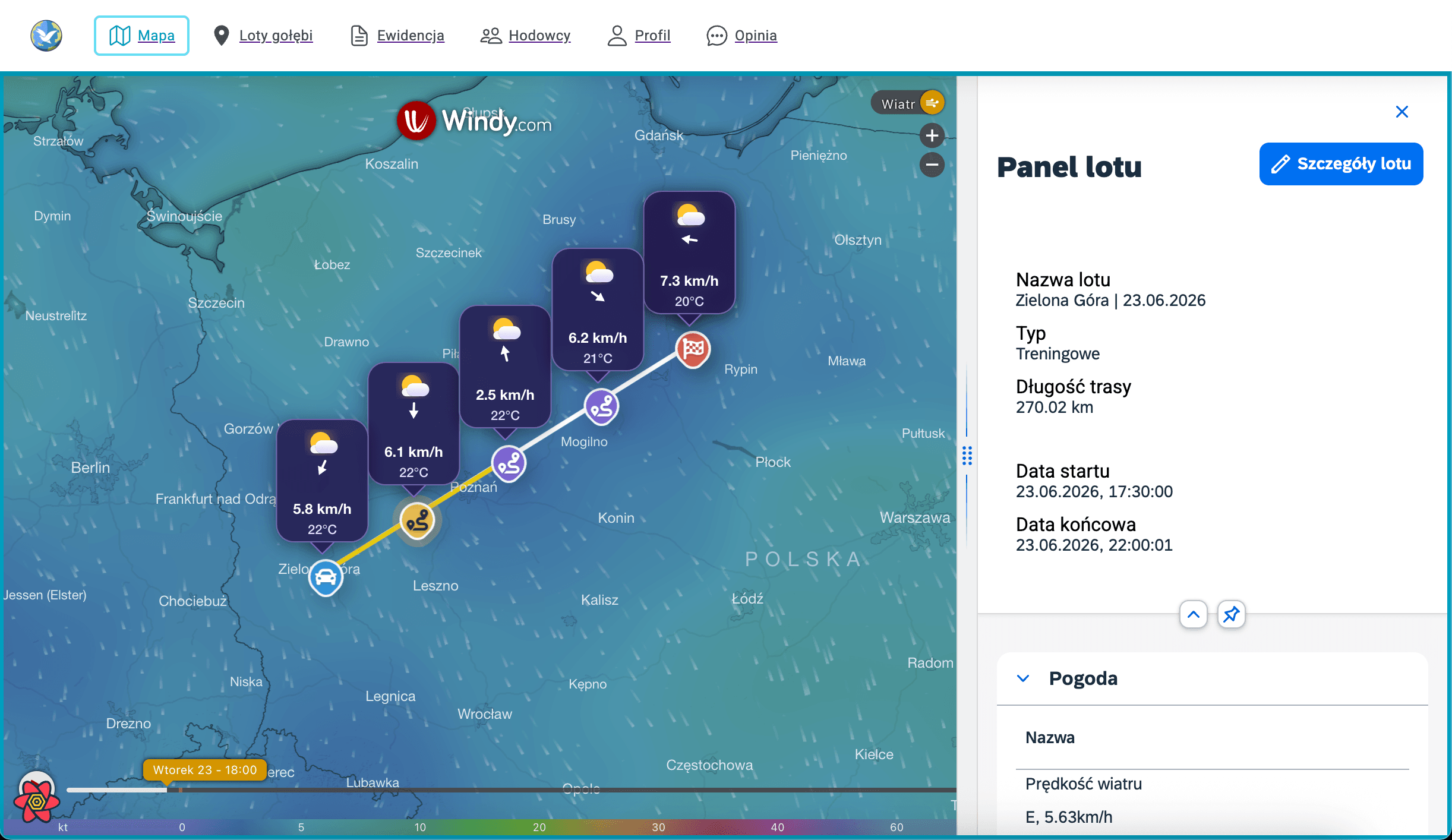
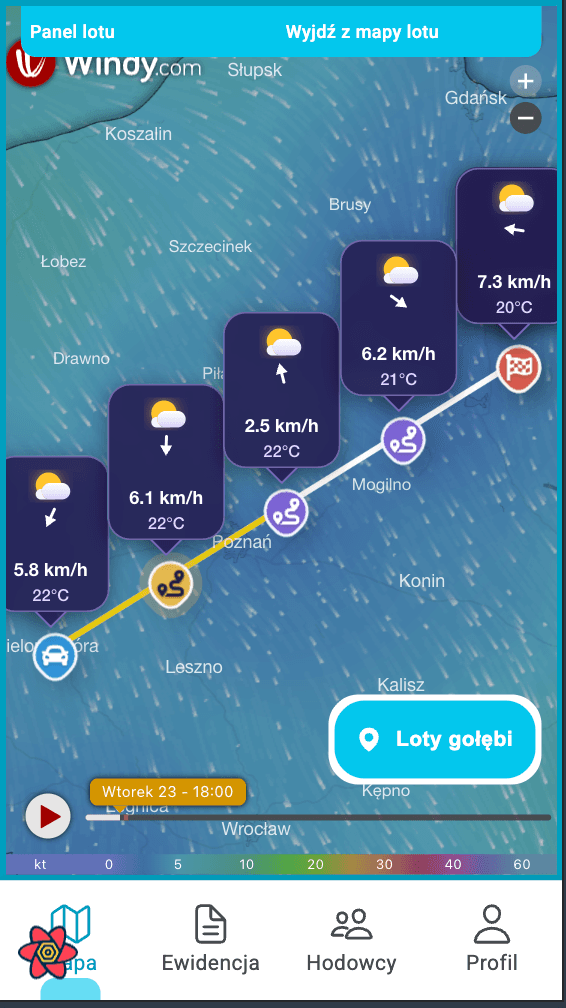
The full-weather option for animated layers, wind and route conditions.
Compare MapTiler, Windy, saved flights and analysis access in the subscription table.
See plans